Category

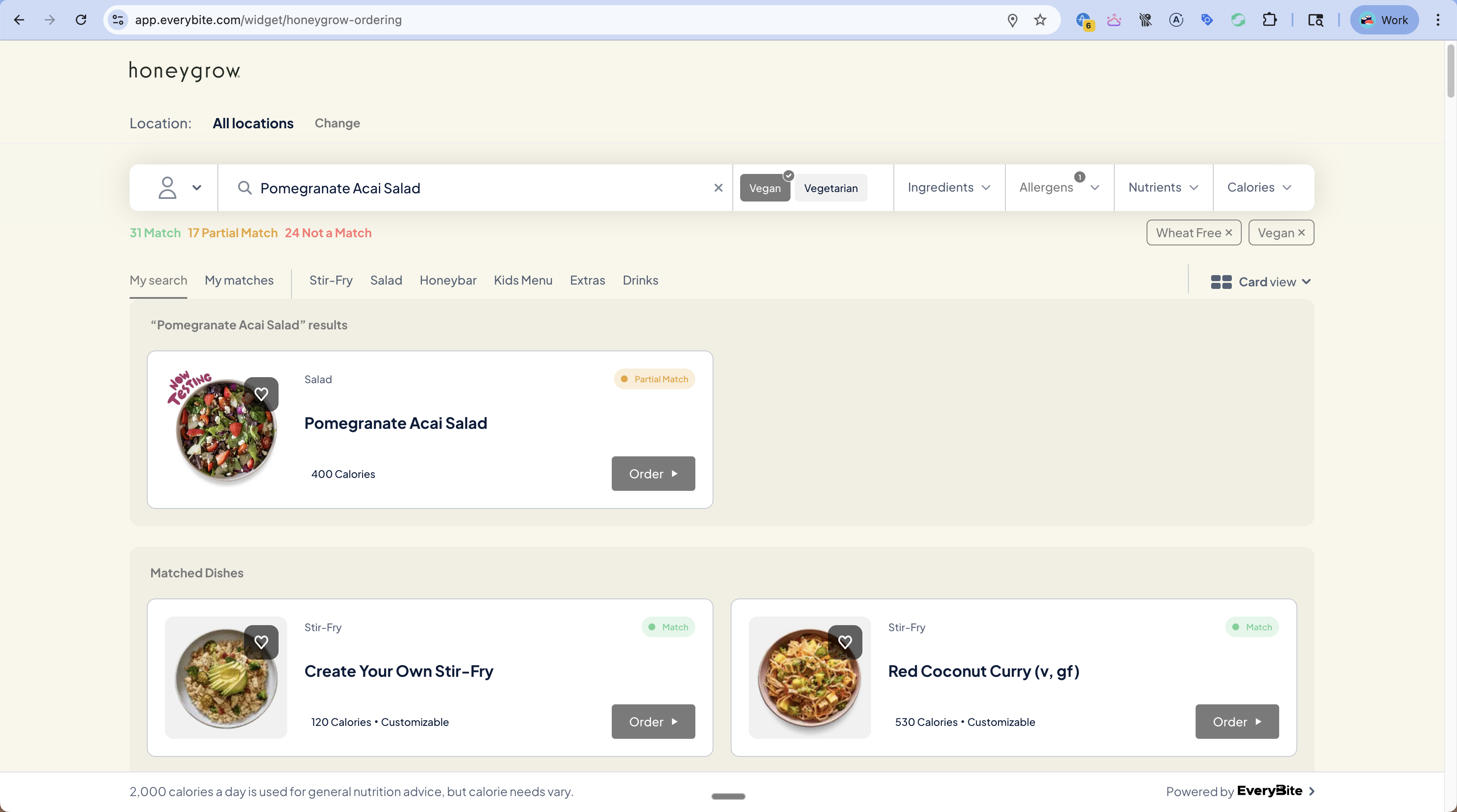
A Category organizes dishes into logical groups within a menu (e.g., “Stir-Fry”, “Salads”, “Drinks”).

Schema

type Category {
  id: ID!
  name: String!
  dishCount: Int
  ordinal: Int
}

Fields

FieldTypeDescription
idIDUnique identifier
nameStringCategory name (e.g., “Stir-Fry”)
dishCountIntNumber of dishes in this category
ordinalIntDisplay order (lower = first)

Example Query

query GetCategories {
  categories(menuKey: "your_key") {
    id
    name
    dishCount
    ordinal
  }
}

Example Response

{
  "data": {
    "categories": [
      { "id": "cat_1", "name": "Stir-Fry", "dishCount": 12, "ordinal": 1 },
      { "id": "cat_2", "name": "Salad", "dishCount": 8, "ordinal": 2 },
      { "id": "cat_3", "name": "Honeybar", "dishCount": 6, "ordinal": 3 },
      { "id": "cat_4", "name": "Kids Menu", "dishCount": 4, "ordinal": 4 },
      { "id": "cat_5", "name": "Extras", "dishCount": 10, "ordinal": 5 },
      { "id": "cat_6", "name": "Drinks", "dishCount": 15, "ordinal": 6 }
    ]
  }
}

Filtering by Category

Get dishes in a specific category:
query GetDishesByCategory($categoryId: ID!) {
  dishes(
    menuKey: "your_key",
    filters: {
      category: $categoryId
    }
  ) {
    results {
      dish {
        id
        name
        calories
      }
    }
  }
}

Dynamic Category Counts

When filtering with diner preferences, category counts update to reflect matching dishes:
query GetCategoriesWithFilters {
  categories(
    menuKey: "your_key",
    dinerPreferences: {
      diets: [Vegan],
      excludeAllergens: [Dairy]
    }
  ) {
    id
    name
    dishCount  # Now shows only vegan, dairy-free dishes
  }
}

Display Patterns

Category Tabs

Category Tabs
Categories typically display as horizontal tabs:
<div className="category-tabs">
  <button className="active">My matches</button>
  {categories.map(cat => (
    <button key={cat.id}>
      {cat.name}
      {showCounts && <span className="count">{cat.dishCount}</span>}
    </button>
  ))}
</div>

Special “My Matches” Tab

The SmartMenu includes a special “My matches” tab that shows all dishes matching the diner’s preferences, regardless of category:
query GetMyMatches {
  dishes(
    menuKey: "your_key",
    dinerPreferences: { ... },
    filters: {
      matchStatus: [MATCH, PARTIAL_MATCH]
    }
  ) {
    results {
      dish { name, category { name } }
      matchStatus
    }
  }
}

Category Order

Use the ordinal field to sort categories in display order:
const sortedCategories = categories.sort((a, b) => a.ordinal - b.ordinal);