Ordering API

The Ordering API is a separate product. Contact sales@everybite.com for access.
The EveryBite Ordering API provides a unified abstraction layer on top of existing restaurant ordering platforms. Instead of integrating directly with multiple ordering systems, you integrate once with EveryBite and gain access to all supported platforms.

Architecture

Ordering API Architecture
Your application integrates with the EveryBite Ordering API once, and we handle communication with the underlying ordering platforms. The EveryBite layer adds:
  • Unified Cart Management - Consistent cart operations across all platforms
  • Nutrition Tracking - Real-time nutrition data for every item
  • Allergen Warnings - Automatic alerts based on diner preferences
  • Passport Integration - Saved addresses, payment methods, preferences
  • Loyalty Auto-Apply - Connected loyalty programs applied at checkout
  • Meal History - Orders recorded with full nutrition data

Why Use EveryBite Ordering?

Instead of integrating directly with Olo (or other platforms), EveryBite provides:
Direct IntegrationEveryBite Ordering
Platform-specific APIsSingle unified API
Separate nutrition lookupNutrition built into cart
Manual allergen checksAutomatic allergen warnings
No preference matchingPassport preferences applied
Separate loyalty integrationAuto-apply connected loyalty
Platform-specific webhooksUnified webhook format

Supported Platforms

Olo (Active)

Olo Integration

Full integration with Olo’s ordering platform including menu sync, cart management, checkout, and order tracking.
Supported Olo Features:
  • Menu and availability sync
  • Cart operations (add, update, remove)
  • Order types: pickup, delivery, curbside
  • Time slot scheduling (ASAP and future orders)
  • Payment processing
  • Order status and tracking
  • Dispatch integration for delivery

Coming Soon

  • Toast
  • Square
  • Chowly
  • Additional platforms based on demand

Capabilities

Cart Management

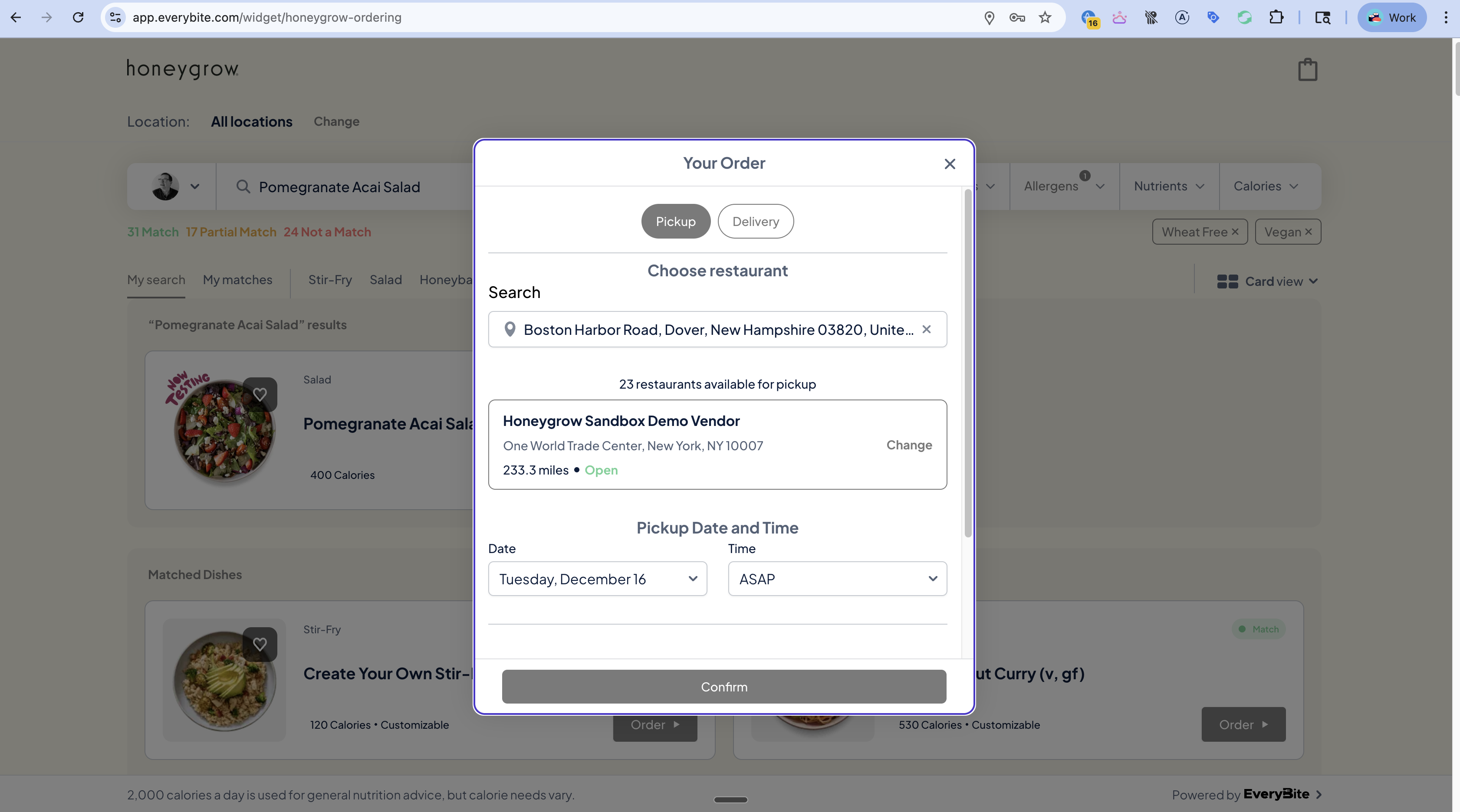
Add dishes, manage quantities, apply customizations with real-time nutrition updates

Order Types

Pickup, delivery, curbside, and dine-in support

Location Selection

Find restaurants, check availability, schedule orders

Checkout

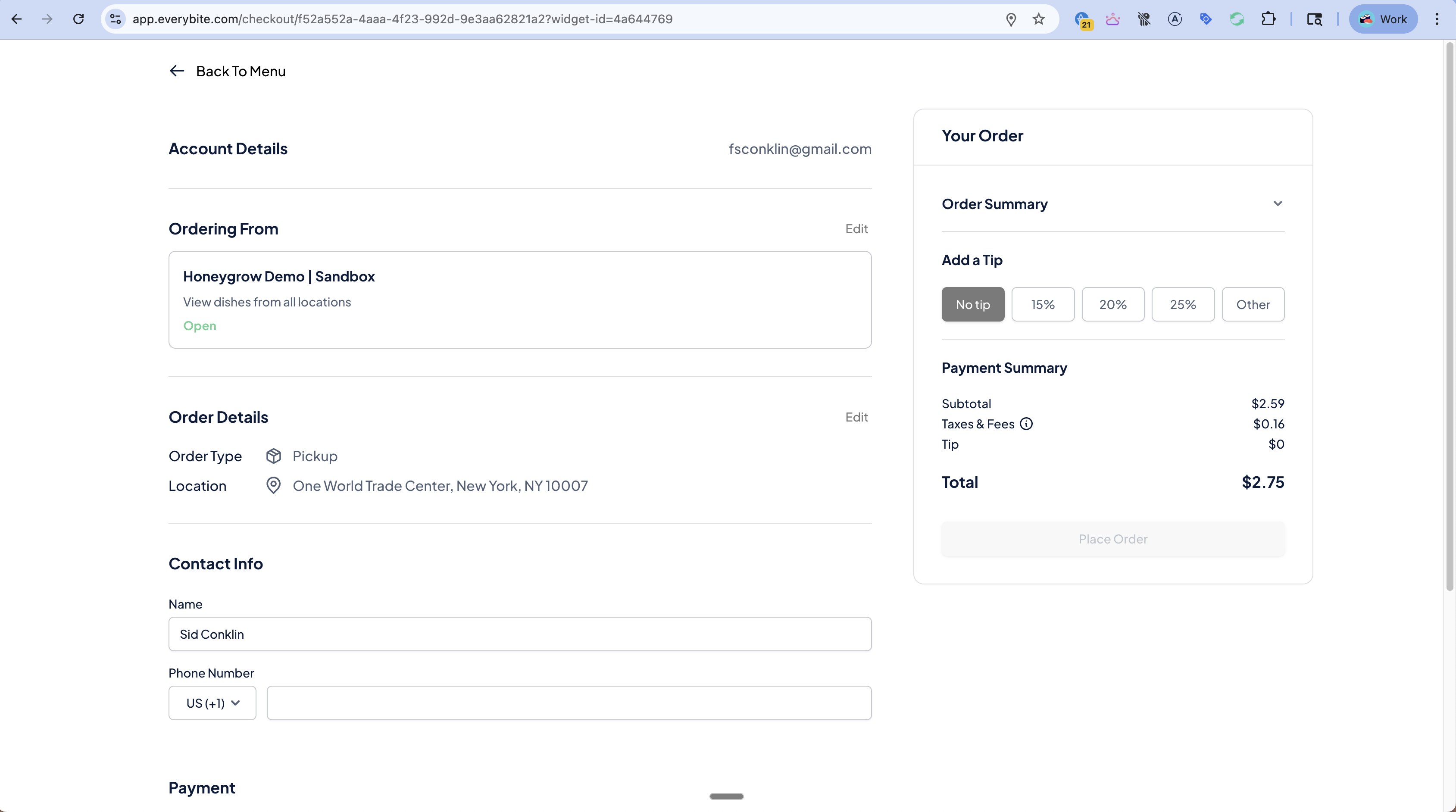
Payment processing, tips, promo codes, order confirmation

How It Works

1. Browse Menu (Menu API)

Query dishes with EveryBite’s nutrition and allergen data:
query {
  dishes(menuKey: "mk_honeygrow", preferences: { avoidAllergens: [PEANUT] }) {
    results {
      dish {
        id
        name
        price
        nutrition { calories, protein }
        allergens { type, displayName }
      }
      matchStatus
    }
  }
}

2. Add to Cart (Ordering API)

Add items with full EveryBite context:
mutation AddToCart($input: AddToCartInput!) {
  addToCart(input: $input) {
    cart {
      id
      items {
        id
        dish { name, price }
        quantity
        customizations { name, price }
        nutrition { calories }  # Real-time nutrition for customized item
      }
      subtotal
      estimatedTotal
    }
    allergenWarnings {
      allergen
      severity
      dishName
    }
  }
}

3. Select Fulfillment

Choose pickup or delivery:
mutation SetFulfillment($cartId: ID!, $fulfillment: FulfillmentInput!) {
  setFulfillment(cartId: $cartId, fulfillment: $fulfillment) {
    cart {
      fulfillment {
        type          # PICKUP, DELIVERY, CURBSIDE
        scheduledTime # null for ASAP
        address {     # For delivery
          street1
          city
          state
          postalCode
        }
      }
      deliveryFee
      estimatedTotal
    }
    availableTimeSlots {
      time
      available
    }
  }
}

4. Checkout

Complete the order:
mutation Checkout($cartId: ID!, $payment: PaymentInput!) {
  checkout(cartId: $cartId, payment: $payment) {
    order {
      id
      status
      confirmationNumber
      estimatedReadyTime
      trackingUrl
    }
    loyaltyEarned {
      program
      pointsEarned
      newBalance
    }
    receipt {
      items { name, quantity, price }
      subtotal
      tax
      tip
      total
    }
  }
}

Integration with Menu API

The Ordering API enriches cart data with Menu API information:
  • Nutrition totals - Cart shows total calories, macros for entire order
  • Allergen warnings - Automatic alerts if cart contains user’s allergens
  • Match status - See if items match diner’s preferences
query GetCartWithNutrition($cartId: ID!) {
  cart(id: $cartId) {
    items {
      dish { name }
      nutrition { calories, protein, carbohydrates, fat }
    }
    totals {
      nutrition {
        calories      # Total for entire order
        protein
        carbohydrates
        fat
      }
    }
  }
}

Integration with Passport

When a diner has an EveryBite Passport:
FeatureBehavior
Saved addressesAuto-populate delivery address
Payment methodsSaved cards available at checkout
Loyalty programsPoints earned/redeemed automatically
Allergen warningsBased on Passport preferences
Meal historyOrder recorded with full nutrition
Health syncMeal synced to Apple Health/Google Fit
# Passport-authenticated checkout
mutation CheckoutWithPassport(
  $cartId: ID!
  $passportToken: String!
  $payment: PaymentInput!
) {
  checkout(
    cartId: $cartId
    passportToken: $passportToken
    payment: $payment
  ) {
    order { id, confirmationNumber }

    # Automatic Passport benefits
    loyaltyEarned {
      program
      pointsEarned
    }
    mealRecorded {
      id
      nutrition { calories }
    }
    healthSyncStatus  # SYNCED, PENDING, DISABLED
  }
}

Olo-Specific Features

When the backend is Olo, these additional features are available:

Basket Transfer

Transfer an existing Olo basket to EveryBite:
mutation ImportOloBasket($oloBasketId: String!) {
  importOloBasket(basketId: $oloBasketId) {
    cart {
      id
      items { ... }
    }
  }
}

Olo Webhooks

EveryBite forwards Olo webhook events in a normalized format:
{
  "event": "ORDER_STATUS_CHANGED",
  "orderId": "order_123",
  "everyBiteOrderId": "eb_order_456",
  "oloOrderId": "olo_789",
  "status": "READY_FOR_PICKUP",
  "timestamp": "2025-12-17T12:30:00Z"
}

Dispatch Integration

For Olo Dispatch (delivery):
query TrackDelivery($orderId: ID!) {
  order(id: $orderId) {
    delivery {
      status          # ASSIGNED, EN_ROUTE, ARRIVING, DELIVERED
      driver {
        name
        phone
        photoUrl
      }
      eta
      currentLocation {
        latitude
        longitude
      }
    }
  }
}

Preview

Order Modal
Checkout

API Reference

Full Ordering API documentation:

Request Access

Contact Sales

Interested in the Ordering API? Contact our sales team to discuss integration.