

Preferences
Passport Preferences store a diner’s dietary needs, allergen restrictions, and nutritional goals. Once set, they’re applied at every participating restaurant.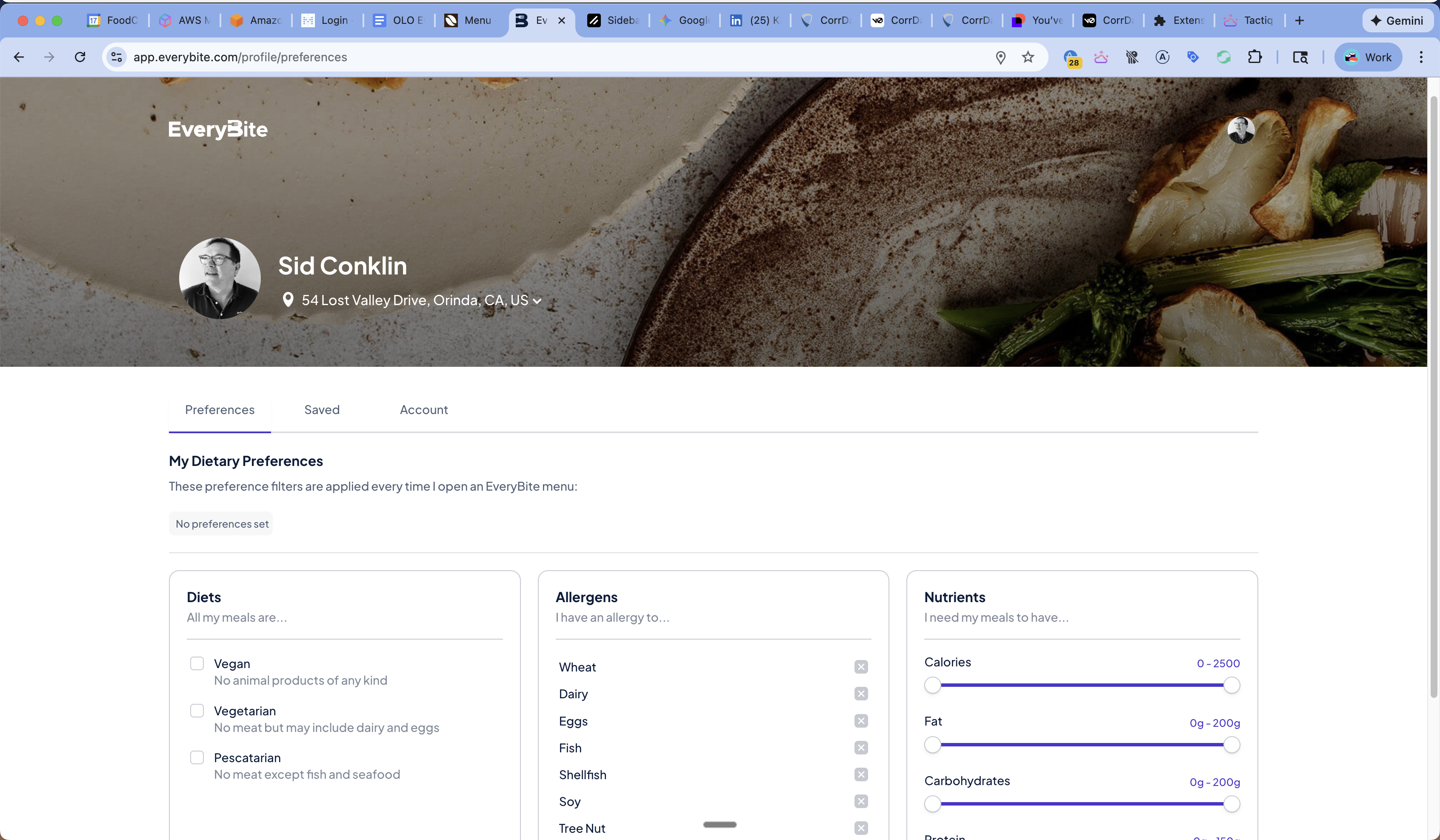
Reading Preferences
Example Response
Updating Preferences
Input Types
Example: Set Vegan with Peanut Allergy
Using with Menu API
Pass the Passport token to automatically apply preferences:dinerPreferences:
Preference Types
Diets
| Type | Description |
|---|---|
Vegan | No animal products |
Vegetarian | No meat, may include dairy/eggs |
Pescatarian | No meat except fish/seafood |
GlutenFree | No gluten-containing ingredients |
DairyFree | No dairy products |
Allergens
| Type | Description |
|---|---|
Dairy | Milk and milk products |
Egg | Eggs and egg products |
Fish | Fish |
Shellfish | Shrimp, crab, lobster, etc. |
Wheat | Wheat and wheat products |
TreeNut | Almonds, walnuts, cashews, etc. |
Peanut | Peanuts and peanut products |
Sesame | Sesame seeds and sesame oil |
Soy | Soybeans and soy products |
Gluten | Gluten proteins |
Nutrients
| Type | Unit | Description |
|---|---|---|
Calories | kcal | Total calories |
Protein | g | Protein |
Carbohydrates | g | Total carbs |
Fat | g | Total fat |
Sodium | mg | Sodium |
Fiber | g | Dietary fiber |
Sugar | g | Total sugars |
Building a Preferences UI
Cross-Restaurant Application
The key value of Passport preferences:- Diner sets preferences in your app (or any EveryBite app)
- Preferences sync to their Passport profile
- Any participating restaurant can access these preferences
- Match status calculated consistently everywhere